

A maintenance work request (a notification in SAP PM, a work request in Maximo or Oracle) is the only point in the work order lifecycle where the person who saw the problem is still in the loop. Everything a planner, scheduler, buyer and reliability engineer does afterwards is built on what that person typed. A request that is missing the equipment status, the crafts required or a usable description cannot be repaired by better planning. It can only be sent back, guessed at, or worked wrong.
A maintenance and reliability leader at a major North American oil and gas operator put it this way during our product design sessions: if the notification goes in with quality and execution is confirmed with quality, most of what sits in between can be automated. Get the two ends right and the middle takes care of itself. Get the front end wrong and nothing downstream can save it.
Key takeaways
- The work request is the single highest-leverage document in maintenance. One minute of quality at intake saves hours of planner rework, wrong priorities and mis-stocked parts.
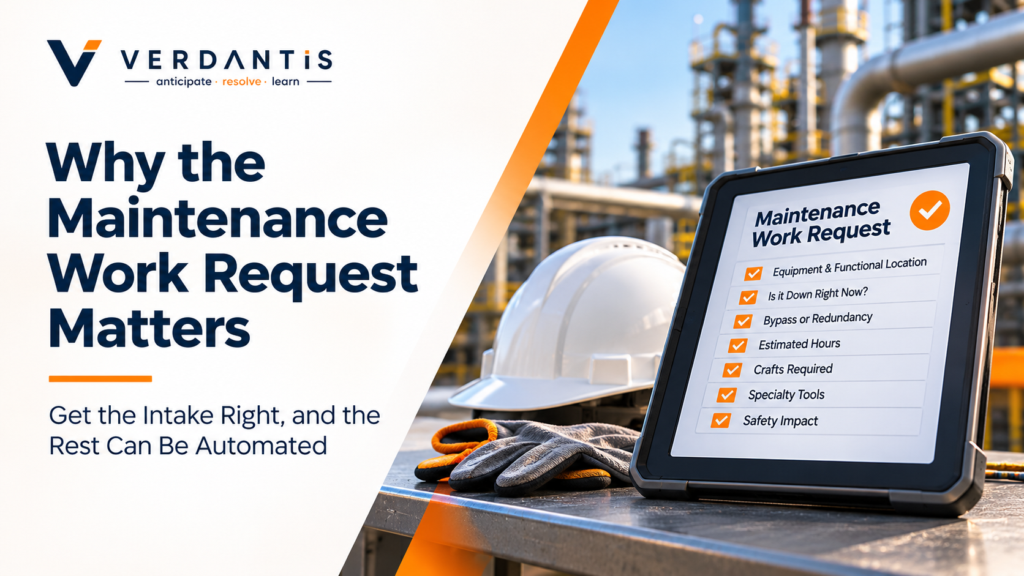
- Seven fields decide whether a request can be planned without a phone call: equipment and functional location, is-it-down-now, bypass or redundancy, estimated hours, crafts, specialty tools, safety impact.
- Technicians do not write bad requests because they are careless. They write them because the ERP screen was designed for the planner, not for a person standing in front of a failed pump.
- Duplicate and miscoded requests do not just clutter the backlog. They corrupt MTBF, MTTR and bad-actor analysis for years.
- Most operators try to fix this with training and mandatory fields. Both fail for the same reason: they add friction to the person with the least time and the least incentive.
- The fix is to move the burden of quality off the technician and onto the intake process, which is where AI-native work order management earns its place.
Why does a bad work request cost more than a bad work order?
A bad work order affects one job. A bad work request affects every decision made about that job, because every downstream step inherits its gap. The planner scopes it wrong, the priority engine scores it wrong, the parts reservation is wrong, and the failure record that reaches the reliability engineer is wrong. The error compounds at each handoff.
Consider what happens when a request arrives saying only “pump leaking, needs attention.”
- The planner stops. They cannot scope the job without knowing which pump, what is leaking, whether the unit is running or down, and whether a spare is in service. They either phone the originator (if they can find them, on shift, days later) or guess.
- The priority is wrong. Without an is-it-down-now signal, the request lands in the backlog as routine. If the equipment is bleeding production, nobody knows until operations escalates.
- Parts are not reserved. No failure mode means no bill of materials lookup. The job is scheduled, the crew arrives, the seal kit is not in stock, and a $400 job becomes a $9,000 expedite.
- Execution is deferred. The crew cannot proceed without the permit, the isolation or the second craft nobody flagged. The work order goes back to planning with a note.
- The failure record is useless. When the job is finally closed, the damage code is whatever the technician picked from a dropdown at 4 pm on a Friday. The reliability engineer later runs bad-actor analysis on data that was never true.
The practitioner we worked with described this as the difference between a work order that is planned and one that is opened. Most backlogs are full of open work orders. The request determines which one you get.
The economics are lopsided. The originator spends roughly one extra minute capturing the seven fields below. The planner saves 20 to 45 minutes of chasing per request. Across a site raising 300 to 500 requests a month, the difference is one to two full planner headcounts, before counting the expedites, the deferred jobs and the corrupted reliability data.
What does a high-quality maintenance work request contain?
A plannable work request answers seven questions before a planner opens it. These are not the 40 fields on the SAP notification screen. They are the seven that stop a planner from doing their job when they are missing, drawn directly from what an experienced reliability leader said he needs on day one. Ask enough, not everything.
| # | Field | Why a planner cannot proceed without it | Where it usually lives today |
| 1 | Equipment and functional location | Everything keys off this: history, BOM, task list, criticality, permits | Correct in SAP, but technicians often pick the parent location, not the equipment |
| 2 | Is it down right now? | Separates urgent from routine. SAP’s breakdown indicator exists for this and is set on fewer than half of real breakdowns | Breakdown indicator checkbox, usually ignored |
| 3 | Bypass or redundancy available? | A spare in service turns an emergency into a scheduled job; no spare turns a routine job into a shutdown risk | Long text, if anywhere. There is no standard field |
| 4 | Estimated hours | Drives the schedule slot and whether the job fits in a window | Rarely captured; planners estimate from scratch |
| 5 | Crafts required | Bundling is craft-first; a job needing both an electrician and a millwright is a different job | Planner infers from the description |
| 6 | Specialty tools or equipment | Cranes, scaffolding, lifting gear and specialist contractors have lead times of their own | Discovered at scheduling, often too late |
| 7 | Safety or environmental impact | Sets the permit path and the energy-isolation requirement, which differ by operator and by unit | Free text, or a generic priority code |
Two of these deserve a closer look because they are the ones the standard ERP screen handles worst.
Is it down right now? SAP distinguishes system condition (what the impact will be while the work is performed) from the breakdown indicator (the equipment has failed now). Most sites use neither consistently. The practitioner we worked with called the gap between the two the most common custom workaround he had seen across operators: every site builds its own field for “down now,” and none of them talk to each other. We cover this in depth in our article on the production-impact gap in work order prioritization.
Bypass or redundancy. Auxiliary systems are where this hurts most. A cooling-water pump or a lube-oil skid rarely carries redundancies, and a failure on one cascade into a full unit shutdown. Yet the redundancy question is almost never asked about intake, because there is no field for it. The information lives in the originator’s head and, if they think of it, the long text. A request that captures it changes the priority, the schedule and the stocking strategy for that equipment in one step.
The standard most sites hold technicians to is two fields: a functional location and a description. That is enough to open a work order. It is not enough to plan one.
Why do technicians write bad work requests, and why does training not fix it?
Technicians write thin requests because the request screen was designed for the person reading it, not the person writing it. The originator is standing in a noisy plant, often in gloves, with a failed asset in front of them and a shift to finish. The ERP asks them to find a terminal, navigate a transaction, pick from code lists they do not use daily, and type long text with two fingers. Rationally, they type the minimum.
The reliability leader we worked with was blunt about it: field crews do not like the ERP, and he did not expect them to. The best adopters he had seen were sites that stopped expecting craftspeople to be data-entry clerks.
The three standard fixes all run into the same wall.
Training. It works for the three months after the session and decays as the trained cohort turns over. Contract crews, who raise a large share of requests at many sites, are rarely trained at all.
Mandatory fields. Making a required field guarantees it is filled. It does not guarantee it is true. Sites that mandate a damage code get a backlog where failures are coded “other” or whichever option is first in the list. Mandatory fields move the data-quality problem from missing to wrong, which is worse, because wrong data looks complete.
Planner triage. Many sites accept the thin request and have planners enrich it. This works, at the cost of the planner’s week. A planner who spends 40 percent of their time chasing originators is a planner who is not building job plans, checking kits or walking down jobs. It is the most expensive person in the chain doing the cheapest work.
There is one more cost that rarely gets counted. Every request that is sent back or phoned about teachers, the technician that raising a request is a hassle. The next time, they fix it themselves and raise nothing. The backlog looks healthier. The asset history is now missing a failure.
How do duplicate and miscoded work request’s corrupt reliability data?
Every work request is also a reliability record, whether or not anyone intended it to be. The timestamp starts with the MTTR clock. The equipment and damage code feed MTBF and bad-actor analysis. A request that is duplicated, miscoded or raised against the wrong equipment does not just waste planner time this week. It distorts the failure history that the site will use to set PM frequencies, justify capital and decide which assets get attention for years.
Duplicates are the clearest case. When a pump starts vibrating, three people on three shifts may raise a request. If all three are converted to work orders, or if the wrong one is closed, the site records three failures where there was one. The equipment trips a bad-actor threshold it never earned. The practitioner we worked with was precise about the rule: keep the earliest request, because that is when the failure clock started, and cancel the later ones with a reason code that says duplicate, not completed or no fault found. A duplicate closed as completed is a phantom repair.
Miscoding is quieter and more common. A request raised against the parent functional location instead of the equipment means the failure attaches to the unit, not the pump. A damage code of “other” means the failure attaches to nothing. Both make the asset look healthier than it is. The site then extends the PM interval on an asset that is failing, because the data says it is fine.
This is why request quality is a reliability problem, not an administrative one. The people most hurt by thin requests are not the planners who chase them. They are the reliability engineers two years later, running analysis on a failure history that was never true, and the storeroom holding the wrong spares for the assets that fail. We cover the duplicate-notification problem and its effect on MTBF in a separate article.
What is the “quality in, quality out” principle for the work order lifecycle?
The work order lifecycle has two points where a human must be right: the request at the front and the confirmation at the back. Everything between them (scoping, prioritizing, bundling, reserving parts, scheduling, permitting) is rules applied to the data those two points provide. If the request is complete and the closeout is honest, the middle can be systematized. If either end is thin, no amount of sophistication in the middle helps.
This is the observation that reframed how we think about work order management. The practitioner we worked with did not ask for a smarter scheduler. He asked for a request that arrives already plannable and a closeout that records what happened. Given those two things, he was confident most of the planner’s manual work could go away.
It also explains why so many CMMS and EAM investments disappoint. The money goes into the middle: dashboards, scheduling boards, mobile apps for planners. The front end, the moment a technician decides how much to type, is left exactly as it was. The system gets faster at processing bad inputs.
For a maintenance leader, the principle gives a simple diagnostic. Pull 50 recent work requests at random and ask, for each one, whether a planner could have scoped it without a phone call. If fewer than 30 pass, the site does not have a planning problem or a scheduling problem. It has an intake problem, and the fix belongs to intake.
The closeout half matters equally and is often worse. A work order confirmed with “done” and a default damage code has recorded a repair but not a failure. The request-to-closeout pair is the unit of reliability data; if either half is empty, the record is.
How does AI-native intake raise work request quality without adding fields?
The only approach that has worked on a scale is to move the burden of quality off the technician and onto the intake process itself. The technician describes the problem the way they would to a colleague, by voice or with a photo, and the system does the structuring: identifying the equipment from the location and image, drafting the long text, proposing the damage and object codes from the task-list library, and asking the handful of questions a good planner would ask. The technician verifies rather than types.
This is how the work order module in MRO360 handles intake. In practice, it does four things at the request stage.
- Captures from the field, not the terminal. Voice and photo in; a complete, coded notification out, with the functional location, equipment and long text pre-filled for the originator to confirm.
- Asks the seven questions, and only those. Is it down now? Is there a bypass? Rough hours? Which crafts? Any specialty tools? Any safety impact? The questions adapt to the equipment class, so a lighting fixture does not get asked about energy isolation.
- Checks for duplicates before creating them. If an open request already exists against that equipment, the new one is merged into it rather than created, with the earliest timestamp preserved so the MTTR clock is right.
- Pre-loads the job plan. Where the operator has task lists keyed to object and damage codes, the matching plan, BOM and permit requirements attach at request time, so the planner opens a draft work order rather than a blank one.
The practitioner we worked with called this kind of talk-to-the-system captured the thing that would finally get field crews using the CMMS properly. He also noted that several vendors are racing toward it, which is why we treat frictionless capture as table stakes and the seven-question intake and the duplicate rule as the parts that change planner workload.
What this does not do is relieve anyone of the discipline. The questions still need honest answers, and the closeout still needs a real damage code. The system removes typing and the navigation, which are the reasons technicians skip the fields. It does not remove the judgment.
Frequently asked questions
What is the difference between a work request and a work order? A work request (a notification in SAP PM) records that a problem has been observed and needs attention. A work order authorizes and plans the work to fix it, with labor, parts, permits and a schedule attached. Every work order should be traced back to a request; not every request becomes a work order, because some are duplicates, some are declined and some are handled as operator rounds.
What is a maintenance notification in SAP PM? A maintenance notification is SAP’s term for a work request. It carries the reference object (functional location or equipment), a short and long text, priority, the breakdown indicator, and optional object, damage and cause codes. Notification types M1 (malfunction report), M2 (maintenance request) and M3 (activity report) are the standard three, though most operators configure their own.
What fields should a maintenance work require? At minimum: the equipment or functional location, whether the asset is down now, whether a bypass or redundant unit is available, an estimate of hours, the crafts required, any specialty tools, and the safety or environmental impact. These seven allow a planner to scope the job without contacting the originator.
What is the breakdown indicator in SAP and why does it matter? The breakdown indicator is a checkbox on the SAP notification that flags the equipment as failed at the time of reporting. It is the only standard field that tells a planner the asset is down right now, and it is what SAP uses to calculate MTBF and MTTR. Sites that do not set it consistently cannot trust either metric.
Why do planners spend so much time on work requests? Because most requests arrive with only a location and a one-line description, planners must contact the originator, inspect the asset or guess before they can scope the job. Surveys of maintenance planners consistently find their week goes to this kind of chasing rather than to building job plans.
How do duplicate work requests affect MTBF? Each request converted to a work order is counted as a failure. If three requests are raised for one event and all three are worked or closed as completed, the site records three failures and its MTBF for that asset drops by two-thirds. The fix is to keep the earliest request and cancel the others with a duplicate reason code.
Should every work request be converted to a work order? No. Requests should be screened first for duplicates, for work already covered by an open order or a scheduled PM, and for items that can be handled as operator tasks. Converting everything inflates the backlog and corrupts failure.
Do mandatory fields improve work request quality? Usually not. Mandatory fields guarantee a value is entered, not that it is correct. Sites that mandate damage codes typically see a large share coded as “other” or the first option in the list. The data looks complete and is wrong, which is harder to detect than data that is missing.
How do you measure work request quality? The simplest test is the plannability rate: the share of requests a planner can scope without contacting the originator. Sample 50 recent requests and score each one. Supporting measures are the duplicate rate, the share of requests raised against a parent location rather than equipment, and the share of closed work orders with a default or “other” damage code.
Can AI write the work request for the technician? AI-native intake can draft it. From a voice description and a photo, the system can identify the equipment, propose the long text and codes, check for duplicates and ask the originator the few questions a planner would ask. The technician confirms rather than types. This is the approach used in the MRO360 work order module.
Who owns work request quality: operations or maintenance? Both, but the leverage sits with operations, because operators and technicians raise most requests. Maintenance owns the standard (what a plannable request contains) and the intake process that makes meeting the standard easy. Sites where only maintenance cares about request quality tend to end up with planner triage as the permanent fix.
See what your work requests are costing you
If more than a third of your backlog needs a phone call before it can be planned, the problem is upstream of your planners. We will run the plannability test on a sample of your recent notifications, show you the duplicate and miscoding rate, and walk through how AI-native intake in MRO360 changes what arrives on the planner’s desk.
Book a 30-minute work request assessment. Bring 50 recent notifications; we will bring the scoring.